This kodak mini photo printer review looks at the KODAK Mini Shot 3 Retro, a compact instant camera that also prints photos from a compatible smartphone.
Its square 3×3-inch format and included paper make it a practical option for trips, parties, scrapbooks, and other occasions when small physical prints are part of the fun.
Mini Shot 3 Review Summary
The quick verdict
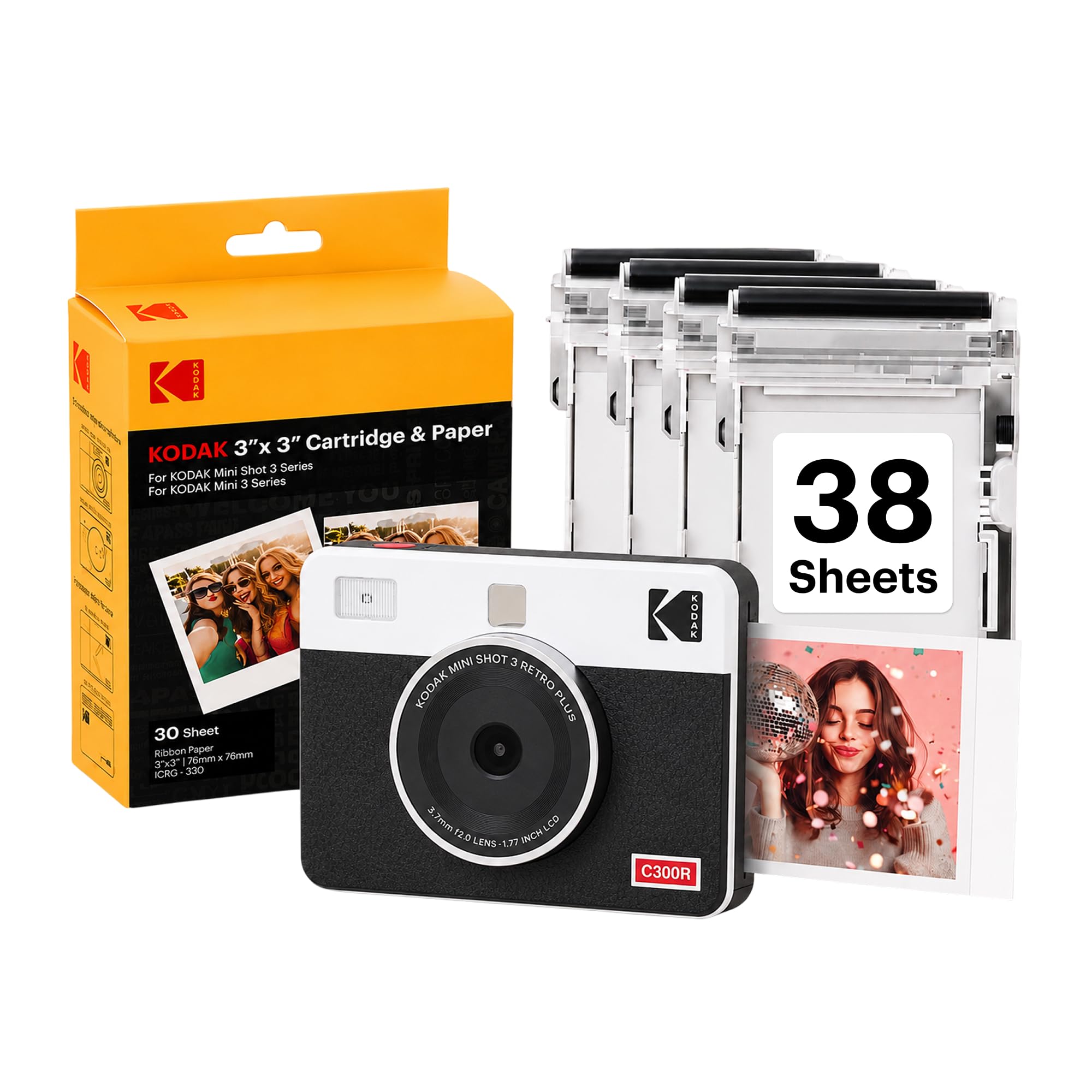
6,000+ ratings
Read Amazon ReviewsKODAK Mini Shot 3 Retro
A portable camera-printer for casual photographers who want 3×3-inch prints and smartphone printing in one device.
- Combines an instant camera with a portable printer for smartphone photos.
- Prints square 3×3-inch pictures using 4PASS dye-sublimation printing with three color layers and a clear protective laminate.
- A print takes approximately 55 seconds; prints are designed to resist fingerprints, water, and fading.
- Bluetooth connects the printer to compatible iOS and Android devices through the KODAK Photo Printer app, which offers editing and cropping.

Pros
- One device handles both camera capture and smartphone photo printing.
- Square prints suit scrapbooks, albums, small displays, and photo-booth style keepsakes.
Consider before buying
- The 3×3-inch format is intended for compact keepsakes, so buyers wanting larger prints should consider their display needs first.
- Printing depends on dedicated photo paper and cartridges, which buyers will need to replenish for ongoing use.
Read the full review summary
The Mini Shot 3 Retro combines capture and printing in one portable device, so you can take a photo and make a square print without carrying a separate printer.
Its 4PASS dye-sublimation process applies three color layers and a protective laminate, with each print taking approximately 55 seconds. The design favors tangible keepsakes and easy sharing over large-format prints.
Bluetooth connection to the KODAK Photo Printer app adds a second way to use it: send smartphone pictures for printing and edit or crop them first.
The camera’s automatic exposure, LCD viewfinder, and automatic and scene shooting modes keep the basic workflow approachable.
It may suit casual users, families, and travelers who value the camera-printer combination and are comfortable replenishing its paper and cartridge supplies.
The buying factors
Mini Shot 3 Scorecard
Editorial scores reflect listed features and buyer fit; they are not laboratory measurements or customer ratings.
Two-in-one convenience
It captures photos and prints from the camera, while also supporting smartphone printing.
Print character
Three-layer dye sublimation and a clear laminate are designed to produce smooth prints with protection against fingerprints, water, and fading.
Print size
The square 3×3-inch format works well for albums and displays, though it is a compact keepsake size.
Smartphone workflow
Bluetooth and the companion app provide editing, cropping, and printing from compatible iOS and Android devices.
Ease of use
Straightforward controls, automatic exposure, and an LCD viewfinder support a simple point-and-print routine.
Travel practicality
The compact form and included strap support carrying it to outings where immediate prints are useful.
Ready-to-use bundle
The package includes the camera, four cartridges, 38 sheets, a USB Type-C cable, and a strap.
Key Features and Specifications of Mini Shot 3
- Combines an instant camera with a portable printer for smartphone photos.
- Prints square 3×3-inch pictures using 4PASS dye-sublimation printing with three color layers and a clear protective laminate.
- A print takes approximately 55 seconds; prints are designed to resist fingerprints, water, and fading.
- Bluetooth connects the printer to compatible iOS and Android devices through the KODAK Photo Printer app, which offers editing and cropping.
- Automatic exposure, an LCD viewfinder, and Auto and Scene shooting modes support casual photography.
- The bundle includes four cartridges, 38 sheets of photo paper, a USB Type-C cable, a strap, and a user guide.
Pros and Cons of Mini Shot 3
Pros
- One device handles both camera capture and smartphone photo printing.
- Square prints suit scrapbooks, albums, small displays, and photo-booth style keepsakes.
- The dye-sublimation layers and clear laminate are designed for a smooth, protected finish.
- The included paper and cartridges let buyers start with supplies on hand.
Consider before buying
- The 3×3-inch format is intended for compact keepsakes, so buyers wanting larger prints should consider their display needs first.
- Printing depends on dedicated photo paper and cartridges, which buyers will need to replenish for ongoing use.
- The roughly 55-second print time may feel slow if you expect a quick stack of photos.
Who Should Buy Mini Shot 3?
Good fit
Consider the Mini Shot 3 Retro if you want a camera and printer together for travel, family events, school projects, or creative albums.
The camera lets you make a print on the spot, while Bluetooth printing gives smartphone photos a place in the same routine.
Its square format gives each print a distinct, consistent shape for arranging in a scrapbook or small display.
It is also a sensible fit if you prefer physical photos but want editing flexibility before printing. The app supports cropping and customization, and the bundle’s four cartridges and 38 sheets provide supplies for getting started.
Think about how often you will print and the continuing paper and cartridge costs before making it your regular photo-sharing device.
Who should skip it
Skip it if your main goal is a camera for large prints or a printer for high-volume output; the compact square format and approximately 55-second print cycle are better suited to occasional keepsakes.
If you want to avoid cartridge-based supplies, check the ongoing consumable requirements before choosing this model.
How the KODAK Mini Shot 3 Fits Everyday Photo Printing
A camera and printer in a single carry
The combined design makes sense when you want to capture a moment and hand someone a physical copy right away.
It also avoids packing a separate camera and printer for casual outings, while Bluetooth adds the option to print photos already on a phone.
Square prints for small displays
At 3×3 inches, the prints are sized for compact albums, scrapbooks, and small display spaces. That makes arranging several photos straightforward, but buyers should consider whether this format will feel substantial enough for their intended use.
A layered print process
The 4PASS process builds a picture with three color layers and finishes it with clear lamination.
The stated design aims to resist fingerprints, water, and fading, which makes the prints suited to handling and keepsake projects; treat that as a design goal rather than a guarantee of archival longevity.
Planning the print routine
Each print takes approximately 55 seconds, so the device is geared toward making selected photos rather than producing a batch instantly.
The included paper and cartridges simplify the first session, while frequent users should account for replacing both consumables as they run out.
Alternatives to Mini Shot 3
Sticker-print alternative
1,000+ ratings
Read Amazon ReviewsKODAK Step Touch
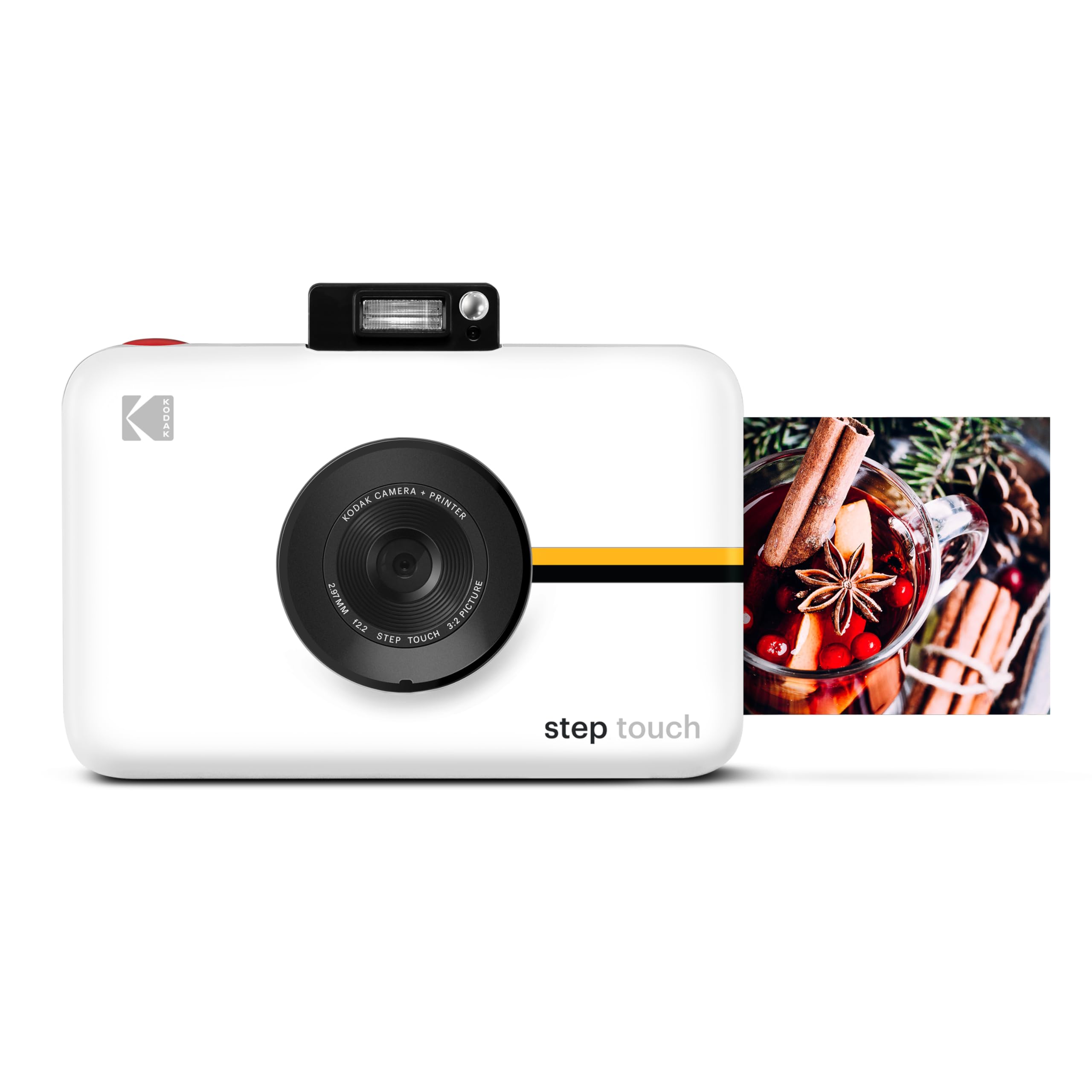
Choose the Mini Shot 3 Retro if square dye-sublimation prints are the priority. The Step Touch is a better fit if its touchscreen, zoom, video, and smaller adhesive-backed print format match how you plan to shoot and share.
- The Step Touch combines a 13MP camera with a 3.5-inch touchscreen, 10× optical zoom, 1080p video, and a ZINK printer for 2×3-inch sticky-back photos; it can print from the camera, smartphone, or MicroSD card.
- The Mini Shot 3 Retro pairs a camera with 3×3-inch dye-sublimation prints and smartphone printing through Bluetooth.
Sticker-print alternative
500+ ratings
Read Amazon ReviewsKODAK Smile Instant Print Digital Camera
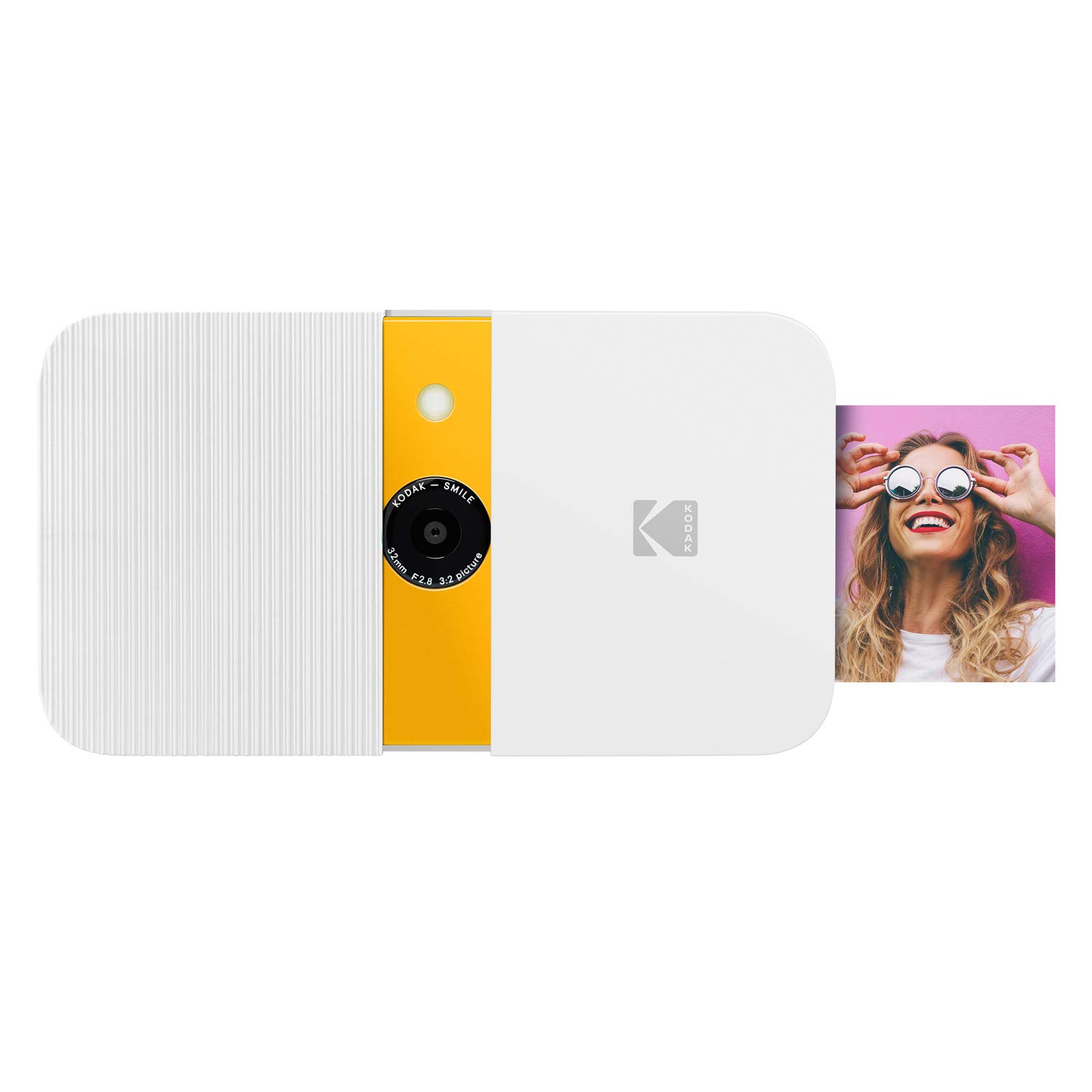
Consider the Mini Shot 3 Retro for square prints and its smartphone-printer function. The Smile may suit someone who wants a compact camera-first device with smaller adhesive-backed prints and a stated per-charge print maximum.
- The Smile is a compact 10MP camera with a slide-open protective case, LCD viewfinder, built-in editor, auto flash, and ZINK printing on 2×3-inch sticky-backed paper.
- It is rechargeable and can make up to 40 prints on a charge.
- The Mini Shot 3 Retro can print from a smartphone as well as capture and print square photos with its built-in camera.
Is Mini Shot 3 Worth It?
The KODAK Mini Shot 3 Retro is worth considering if you want a portable camera and printer that make square keepsakes, with smartphone printing available when you prefer to use photos from your phone.
Its simple shooting controls and included starter supplies make the first outing easy to plan.
The main tradeoffs are the compact 3×3-inch format, the roughly 55-second print cycle, and the need to replenish paper and cartridges. If those fit your routine, it offers a convenient way to turn selected moments into physical photos.
Your review at a glance
6,000+ ratings
Read Amazon ReviewsKODAK Mini Shot 3 Retro
A portable camera-printer for casual photographers who want 3×3-inch prints and smartphone printing in one device.
- Combines an instant camera with a portable printer for smartphone photos.
- Prints square 3×3-inch pictures using 4PASS dye-sublimation printing with three color layers and a clear protective laminate.
- A print takes approximately 55 seconds; prints are designed to resist fingerprints, water, and fading.
- Bluetooth connects the printer to compatible iOS and Android devices through the KODAK Photo Printer app, which offers editing and cropping.